


Quick Answer: EcoWater error codes point to the valve drive. On EcoWater demand softeners, Err01 means the motor or valve position switch, Err03 the motor, switch or wire harness, Err04 the position switch, and Err05 the electronic control board. Newer HydroLink 3700/3702 models show the same family as "Error code 1, 3, 4 or 5" (E1 to E5). To clear any of them: unplug the power supply, correct the problem, plug it back in and wait at least 8 minutes while the valve runs a full cycle. A code that returns means the fault is still there.
EcoWater error codes almost always come down to one question: did the valve get where the control told it to go? EcoWater softeners turn a rotary valve with a small motor and use a position switch to confirm each stop. The code tells you which part of that chain the control suspects.
Sources: the EcoWater owner's manual for Electronic Demand models EEC 1502R25 and EEC 1502R40 (part 7349023, Rev. D), and the 2018 owner's manual for the 3700 and 3702 HydroLink series. EcoWater sells many models, so find your model number on the rating decal and check your own manual or dealer.
In this guide
- EcoWater error codes by model, and what each one blames
- Working through Err01, Err03 and Err04
- Use the built-in diagnostics screen
- Err05: one suspect, one fix
- The reset that clears EcoWater error codes
- When the display flashes or goes dark
- Repair or replace: check the EcoWater warranty first
- FAQ
- Clear the code only after you've fixed the cause
EcoWater error codes by model, and what each one blames

| Code (older display) | HydroLink 3700/3702 | Possible problem per EcoWater |
|---|---|---|
| Err01 | Error code 1 (E1) | Motor or valve position switch |
| Err03 | Error code 3 (E3) | Motor, valve position switch or wire harness |
| Err04 | Error code 4 (E4) | Valve position switch |
| Err05 | Error code 5 (E5) | Electronic control board (PWA) |
The HydroLink manual groups E1, E3 and E4 under "motor malfunction or internal valve fault causing high torque on motor" and "fault in wiring harness, connections to position switch, switch, valve or motor." E5 is "electronic control malfunction." Neither manual gives per-code repair steps, so work through the suspects below before buying parts.
If you own a GE-branded softener, the codes differ; see our GE water softener error codes guide.
Working through Err01, Err03 and Err04

With the softener unplugged, remove the cover and look at the valve end of the unit.
- Wire harness first. It's the cheapest fix and appears under Err03. Check that every connector between the board, motor and position switch is fully seated. Look for pinched insulation, chewed wire or corrosion where moisture got in.
- Then watch the motor. Plug back in and watch during the 8-minute cycle. Does the motor run? Does the cam visibly rotate? If the motor doesn't run at all, it's the motor or its wiring. If it runs but nothing turns, suspect a gear or the valve. Our motor not turning guide helps tell those apart.
- Then the switch. If the motor turns the valve but the control still throws Err01 or Err04, the switch isn't registering the cam. A cracked switch arm or a switch knocked out of position can do it.
- Don't overlook a stiff valve. If the motor labors or slows, the rotor valve may be fouled by iron or sediment. That's the "high torque" fault in the HydroLink manual. A dealer can replace the rotor and seals; a new motor won't fix it.
Use the built-in diagnostics screen

Both manuals include a diagnostics mode that shows what the control sees, which beats guessing.
EEC 1502 models: press and hold SELECT for 3 seconds. (SELECT is the only button that works while an Err code shows.) With the valve parked in a position, the display should read "000 – -", meaning the position switch is open. While the valve moves it should read "000 – P", meaning the switch is closed. The first three digits count upward when water flows. Press RECHARGE to advance the valve one position at a time and confirm the switch changes at each stop. In the same menu, the model code should read EC25 or EC40 for those two models; the manual warns that a wrong code means the softener runs on the wrong configuration.
HydroLink 3700/3702 models: pressing SELECT while an error shows opens the Diagnostics screen. Scroll it to see current and requested valve position, motor state, valve position switch (open or closed), turbine count and the active error code.
If the meter digits or turbine count never move while a faucet runs, that's a metering problem rather than a valve fault; see our guide to a water softener meter not counting.
Err05: one suspect, one fix
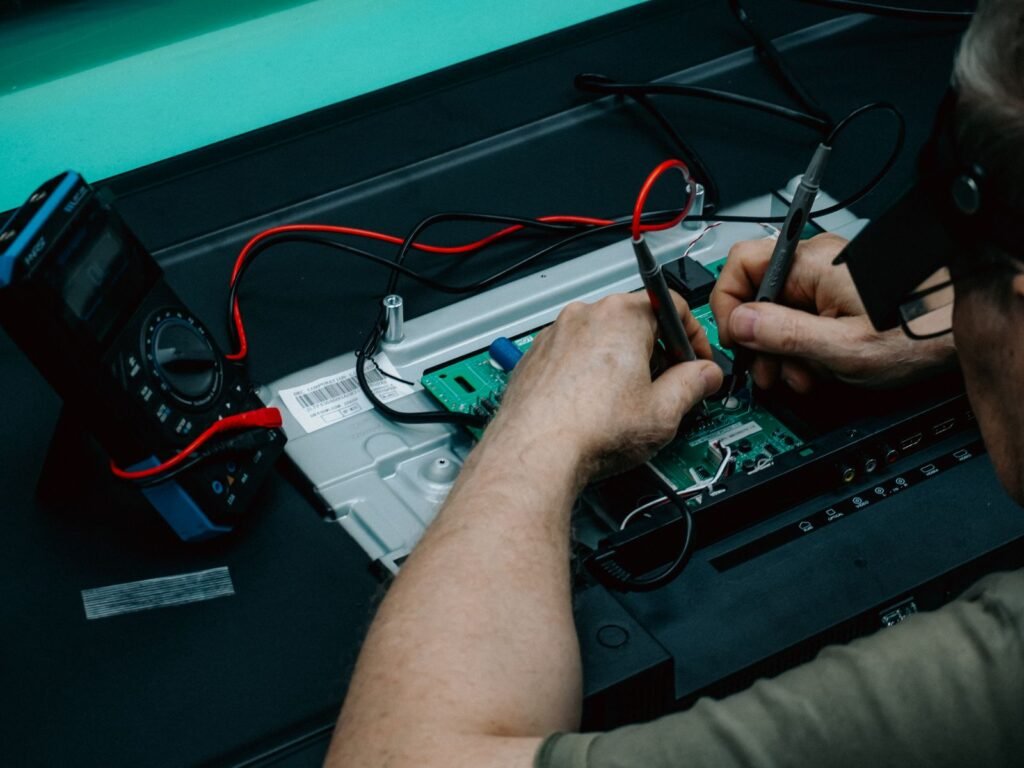
The manuals name only the electronic control board for Err05 (E5). Do the reset once, because a power surge can confuse a board without damaging it. If Err05 returns, the board needs replacing. Contact your EcoWater dealer with the model and serial number; the replacement controller is a dealer part.
The reset that clears EcoWater error codes

EcoWater's procedure is the same in both manuals:
- Unplug the power supply from the outlet.
- Correct the problem.
- Plug the power supply back in.
- Wait at least 8 minutes while the control runs the valve through a full cycle. If the problem isn't fixed, the code returns.
This isn't a factory reset, which wipes settings back to defaults. Use a factory reset only when settings are scrambled; our guide on how to reset an EcoWater softener covers it.
What's normal after a reset, and what isn't
| What you see | Normal? | What it means |
|---|---|---|
| Buttons don't respond while the code shows, except SELECT | Yes | By design |
| Valve motor runs for several minutes after plugging back in | Yes | The control is cycling the valve; allow at least 8 minutes |
| Code clears and doesn't return | Usually fine | A one-off glitch, often after a power event |
| Code returns within minutes | No | The suspect part is still faulty |
| Same code returns every few days | No | Intermittent wiring, a weak motor or a dragging valve |
| Err05 returns after reset | No | Control board needs replacement |
When the display flashes or goes dark

A flashing display isn't always an error
On HydroLink models the display flashes for four reasons: salt needs to be added, the time needs to be set after a power loss, service is overdue, or an error is present. Pressing any key stops the flashing, but it starts again at midnight if the condition hasn't been fixed. Add salt (and check for a salt bridge) or set the clock before assuming a fault.
A blank display means no power
A dark display isn't an error code. Check the outlet, a tripped GFCI or breaker, a switched outlet, and the power supply leads. Our blank display guide goes through it.
Repair or replace: check the EcoWater warranty first

Before paying for a motor or board, check coverage. The 2018 HydroLink manual lists a lifetime warranty on the salt and mineral tanks for the original owner, 10 years on the valve body, 7 years on the electronic faceplate, and 5 years on all other parts. EcoWater also sold an optional "Perfect 10" parts-only plan that extends the faceplate, wiring harness, drive motor, power supply and micro switches to 10 years. Terms vary by model and year, so read yours; our guide to reading a water softener warranty explains the fine print.
Out of warranty, a harness or switch is a small repair. A motor plus board is a bigger decision. If you're weighing replacement, our EcoWater vs RainSoft comparison puts two dealer-sold brands side by side, and our best metered on-demand water softeners covers DIY-friendly alternatives.
Always unplug before removing the cover, and call an electrician if the outlet is wet or heat-damaged.
FAQ
How do I clear an EcoWater error code?
Unplug the power supply, fix the cause, plug it back in and wait at least 8 minutes while the valve cycles. If the code comes back, the fault is still there.
What does Err01 mean on an EcoWater softener?
The control didn't get the expected signal from the valve drive. EcoWater lists the motor or valve position switch as the possible causes.
Is Err03 the same as Err01?
Close, but Err03 adds the wire harness to the suspect list. Check every connector between the board, motor and switch before replacing parts.
Does an EcoWater error code mean I have hard water?
Often, yes, because the valve may be stuck short of a full regeneration. Bypass the softener if needed, fix the code, then run a manual recharge.
Can I still use water while the code is showing?
Usually. Water typically flows, but it may not be softened. Avoid running hot water heavily until the softener is fixed so the water heater doesn't fill with hard water.
Clear the code only after you've fixed the cause
EcoWater error codes are the control telling you the valve didn't reach its position. Work from the cheapest suspect up: harness, then motor and cam, then position switch, then board. Use the diagnostics screen to confirm, reset with the 8-minute procedure, and if the same code returns, check your warranty before calling the dealer.