

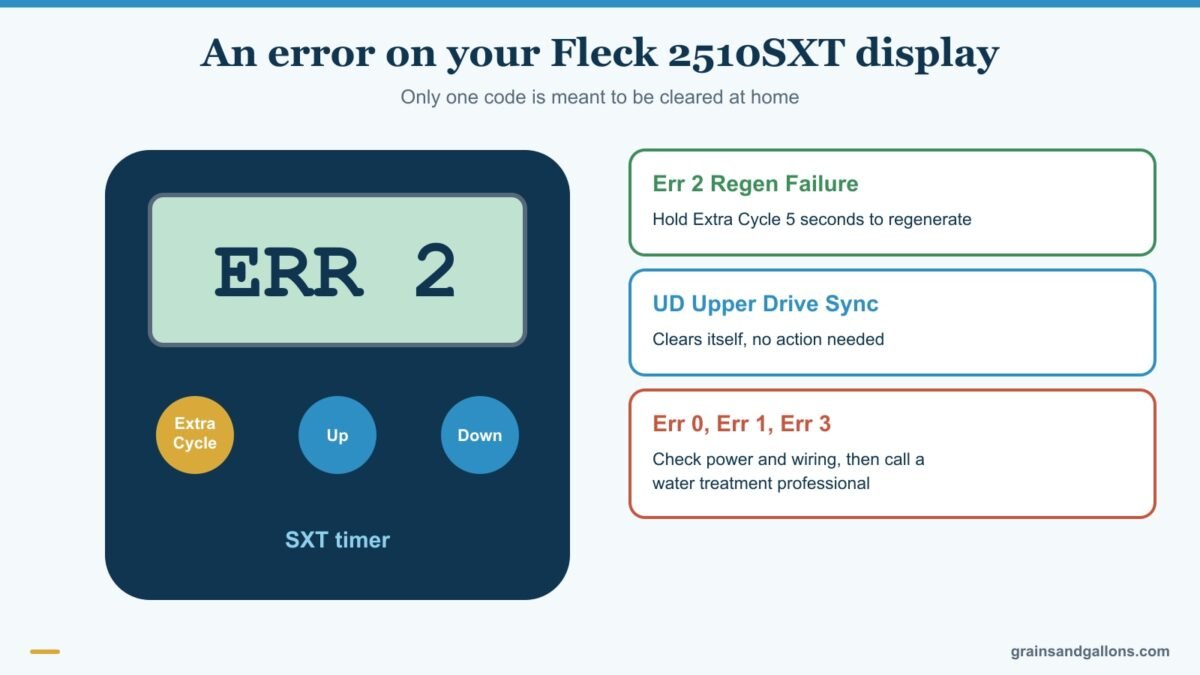
Quick Answer: Fleck 2510SXT error codes come in five types: 0 Cam Sense Error, 1 Cycle Step Error, 2 Regen Failure, 3 Memory Error and UD Upper Drive Sync. Error 2 is the only one Fleck's owner's manual lets you clear yourself: press and hold Extra Cycle for five seconds to start a manual regeneration. UD clears on its own. For 0, 1 and 3, Fleck says to contact a water treatment professional, though checking power and wiring first is reasonable.
The display on your 2510SXT shows an error instead of the time, and the softener may have stopped mid-cycle. Here's what Fleck's own documentation says about each code, and what's sensible to check before you pay for a service call.
Source: the Fleck SXT Owner's Manual (document 44001), listed under downloads on Pentair's 2510 SXT valve page. The 2510SXT uses the same SXT electronic timer as other Fleck SXT valves, which is why one owner's manual covers them all.
In this guide
Fleck 2510SXT error codes and the manual's instructions
| Code | Fleck's name | What the owner's manual says to do |
|---|---|---|
| 0 | Cam Sense Error | Contact your local water treatment professional |
| 1 | Cycle Step Error | Contact your local water treatment professional |
| 2 | Regen Failure | Perform a manual regeneration to reset the code; if it persists, contact a professional |
| 3 | Memory Error | Contact your local water treatment professional |
| UD | Upper Drive Sync | Valve recovers automatically; no action needed |
The owner's manual doesn't list causes. Pentair's 5600SXT softener system manual, written for the same SXT control, adds more detail, and it's used below where noted. If your softener came with a dealer or installer manual, that document takes priority.
Err 2 (Regen Failure): run a manual regeneration, then find the cause
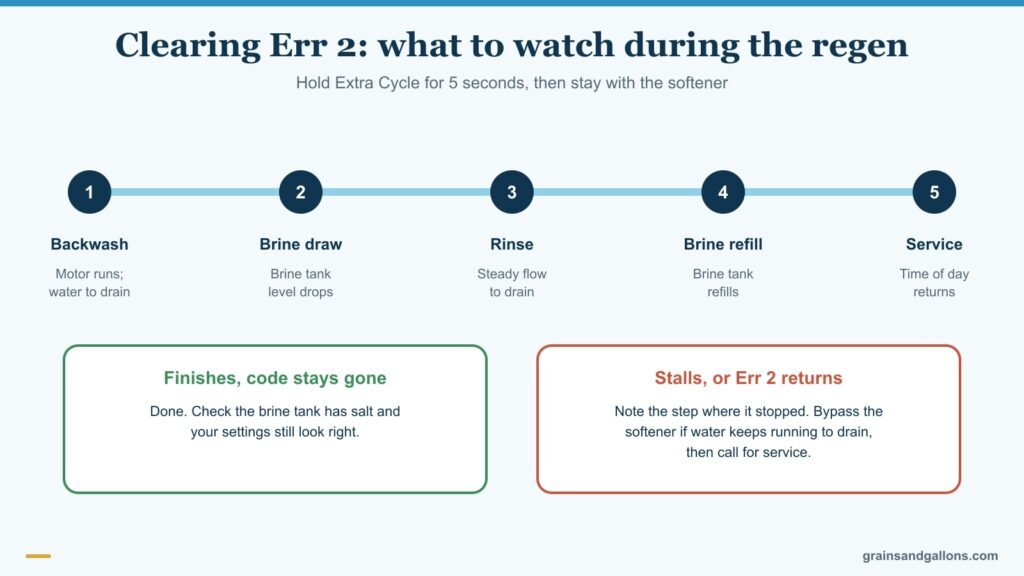
Err 2 means the control didn't regenerate the way it expected. On the 5600SXT, Pentair's system manual defines it as no regeneration for more than 99 days (7 if the control is set to day-of-week). To clear it:
- Immediate regeneration: press and hold Extra Cycle for five seconds.
- Delayed regeneration: press Extra Cycle once. The service icon flashes to show one is queued for the set regeneration time; press it again to cancel.
Use the immediate option so you can watch. Listen for the motor at the start and at each step change, check that water flows to the drain during backwash and rinse, and look in the brine tank afterward: the level should drop during brine draw and come back during refill.
If the regeneration completes and the code stays gone, you're done. If it returns, something is stopping the valve from finishing a cycle or from deciding to start one. Common culprits are a meter that isn't counting water, settings that never trigger a regeneration, or a mechanical problem such as a struggling motor or dragging piston. Our guide to servicing a water softener control valve explains what a seal-and-spacer service involves.
Err 0 and Err 1: the valve lost track of its position
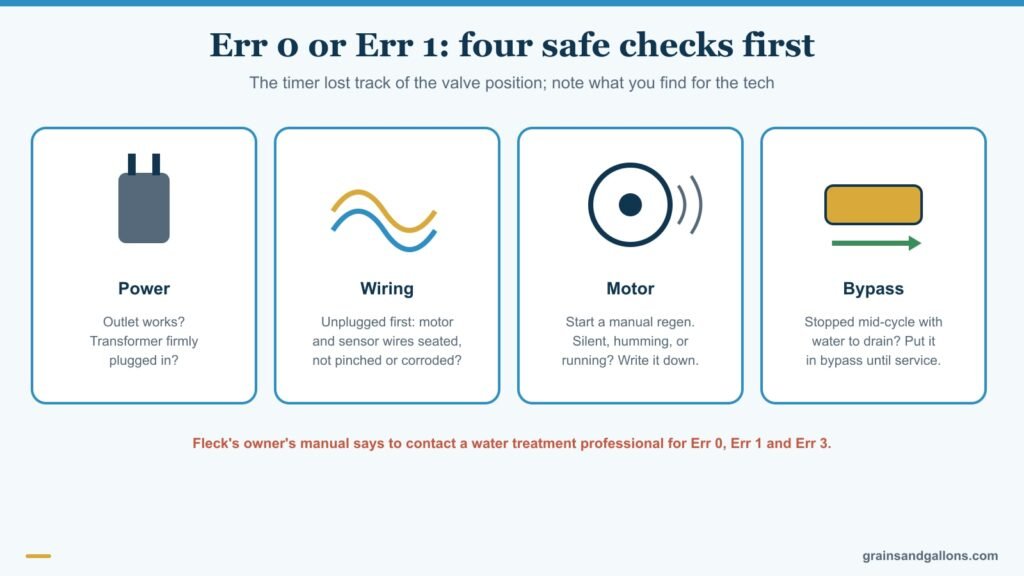
Both codes concern the timer knowing where the valve is in its cycle. The SXT drives the valve through each step and waits for confirmation it arrived; if that doesn't come in time, it stops and reports an error rather than leaving the valve in an unknown position. Pentair's 5600SXT manual says Err 0 triggers when the drive takes longer than six minutes to reach the next position, and Err 1 when the control gets a cycle input it didn't expect.
Fleck's owner's manual sends you to a professional. Before you call, a few non-invasive checks are worth doing and useful to report:
- Power. Confirm the outlet works and the transformer is firmly plugged in.
- Visible connections. With the control unplugged, check that the motor and sensor wires are seated and not pinched or corroded.
- The motor. Start a manual regeneration. Silence, a hum or normal running each point somewhere different; our article on a control valve motor not turning explains each.
- The piston. A piston dragging on worn seals or packed with iron or sediment is a classic cause on well water; see our stuck piston guide.
If the valve stopped mid-cycle with water running to drain, put the softener in bypass while you wait for service.
Err 3, UD and the flashing clock
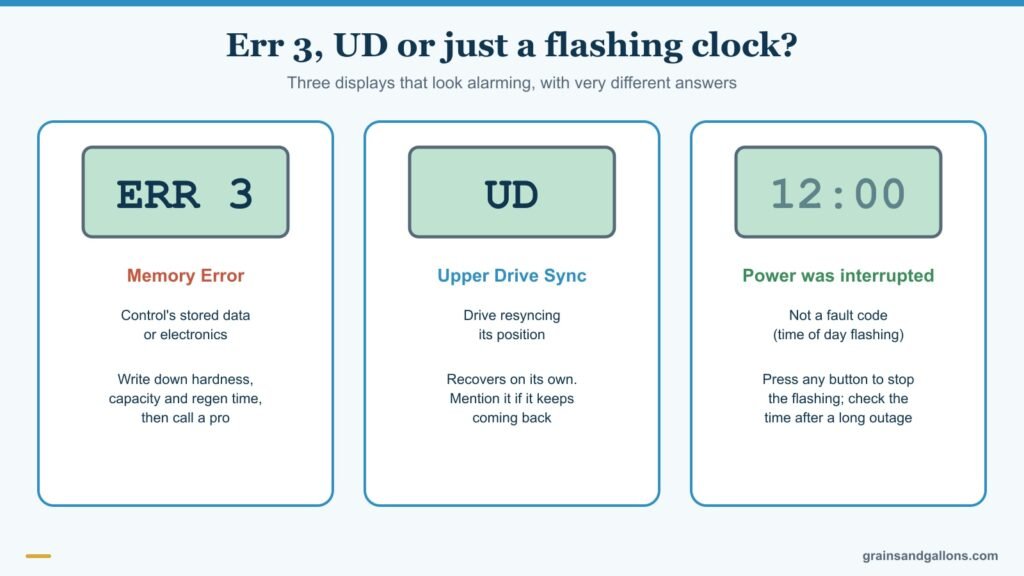
Err 3 (Memory Error) points to the control's stored data or electronics. The owner's manual gives you nothing to do except call a professional. Pentair's 5600SXT manual describes a Master Reset and full reprogramming, which wipes your settings, so write down hardness, capacity and regeneration time first.
UD (Upper Drive Sync) clears itself while the drive resyncs. If it keeps appearing or is followed by a numbered code, treat it as a cycle problem and mention it when you call.
A flashing time of day isn't a fault. The owner's manual says the SXT keeps time for at least eight hours during an outage, and flashing just means power was interrupted. Press any button to stop it. After a longer outage, set the time: hold Up or Down until the display shows TD, adjust, then press Extra Cycle.
Before you call for service
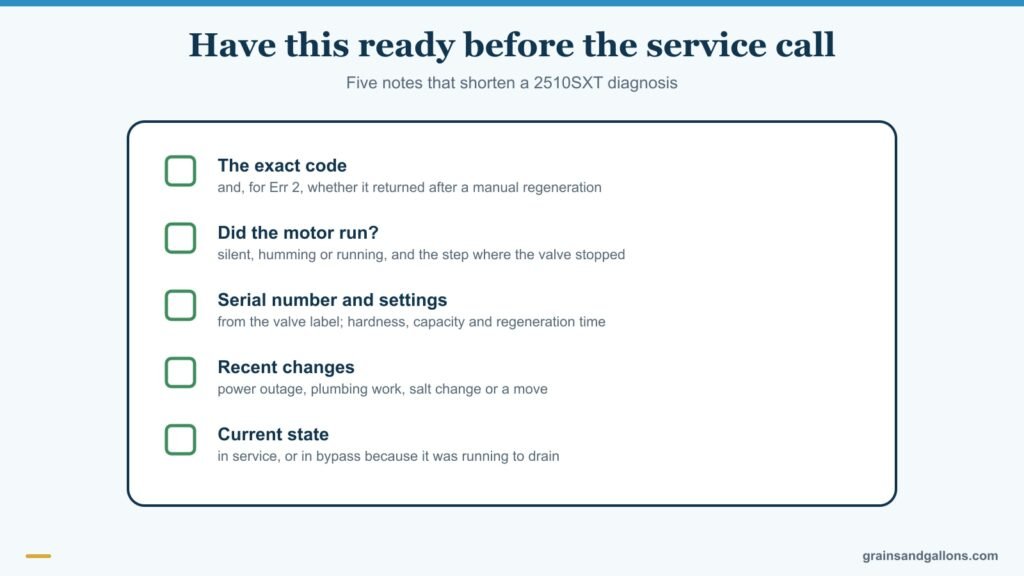
Note the exact code and whether Err 2 came back after a manual regeneration, whether the motor runs and at which step the valve stopped, the serial number from the valve label, your settings, and any recent power outage, plumbing work or salt change.
If the code keeps returning on an older valve, you'll be weighing a board and drive repair against a new head. Our Fleck 2510SXT review covers how the valve holds up, and our guide to the best replacement control valves lists 2510SXT heads and Clack alternatives. Have a 5600SXT too? See our Fleck 5600SXT error codes page.
FAQ
How do I clear Err 2 on a Fleck 2510SXT?
Press and hold Extra Cycle for five seconds to start a manual regeneration. If it finishes and the code doesn't return, you're done; if it returns, have the valve checked.
Can I fix Err 0 on a Fleck 2510SXT myself?
You can check power, wiring, whether the motor runs and whether the piston moves freely, but Fleck's owner's manual recommends a water treatment professional for Err 0.
What does UD mean on a Fleck softener?
Upper Drive Sync. The valve is resyncing its drive position and recovers automatically, usually after a power interruption or a programming change.
Why is the time flashing on my Fleck SXT?
Power was interrupted. It's not an error code; press any button to stop the flashing and check the time after a long outage.
Do the 2510SXT and 5600SXT use the same error codes?
Both use Fleck's SXT timer and the same owner's manual, so the code names match. The valves themselves differ in size and flow.
Clear Err 2 yourself; Err 0, 1 and 3 need a closer look
Most Fleck 2510SXT error codes resolve one of two ways: Err 2 clears with a five-second press of Extra Cycle, and UD clears itself. Err 0, Err 1 and Err 3 mean the timer, drive or memory needs attention, so check power and wiring, bypass a valve stuck draining, and call a water treatment professional with your notes ready.